Try to solve the challenge yourself first at ecb.dyjng.dev!
First Look
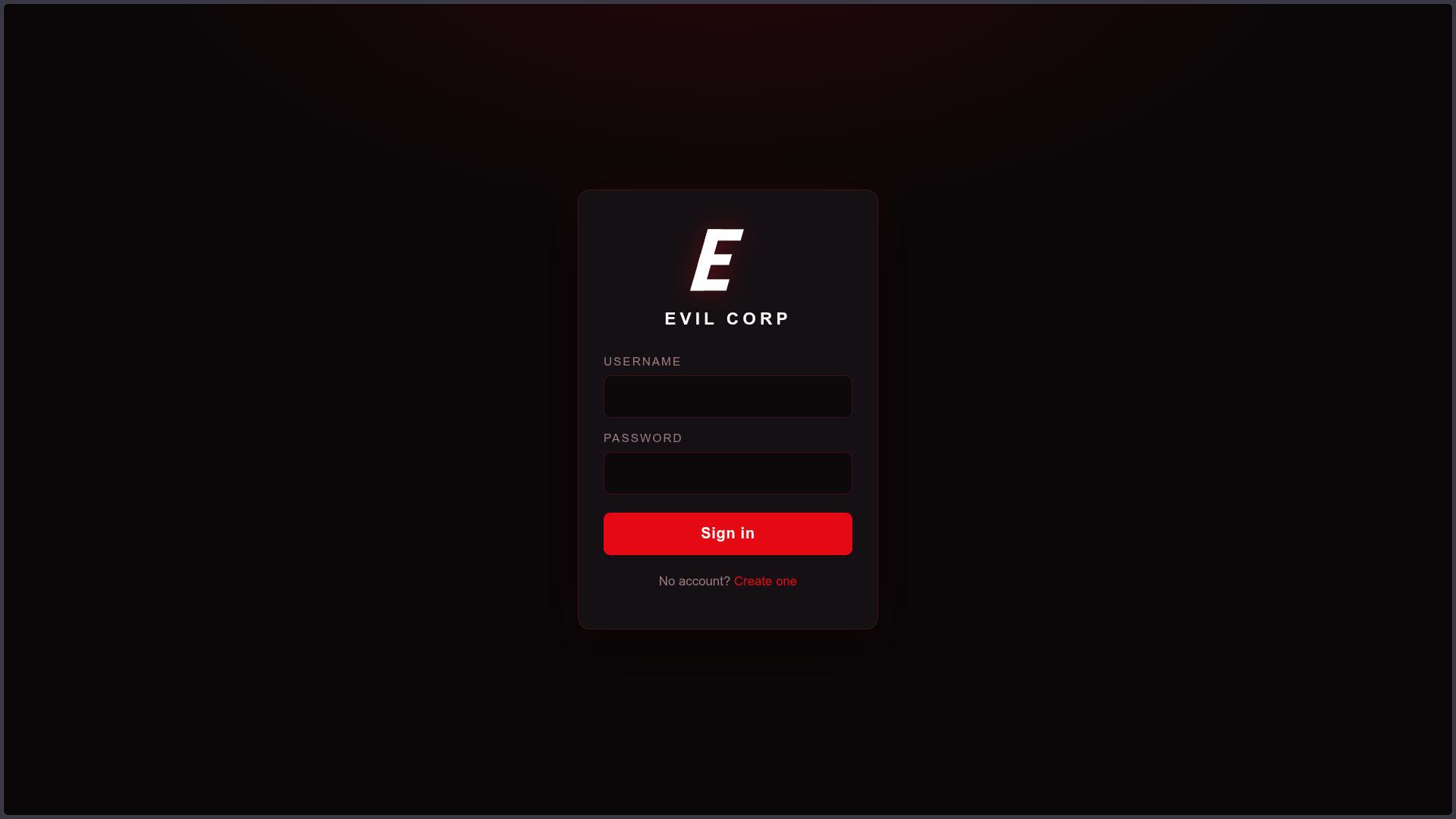
At first glance, we have a simple login portal. After registering an account at /register and signing in, we are greeted with the following page.
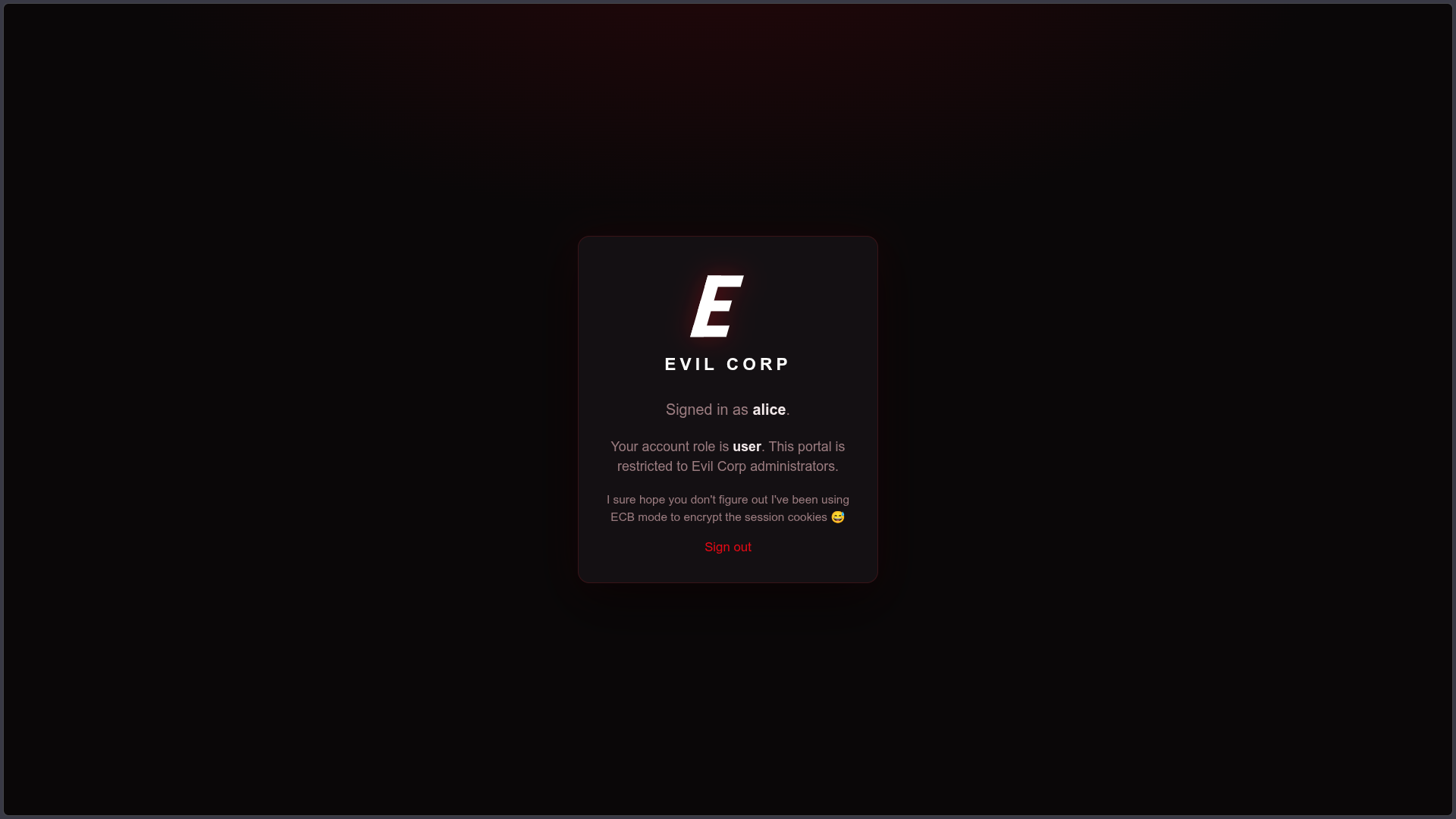
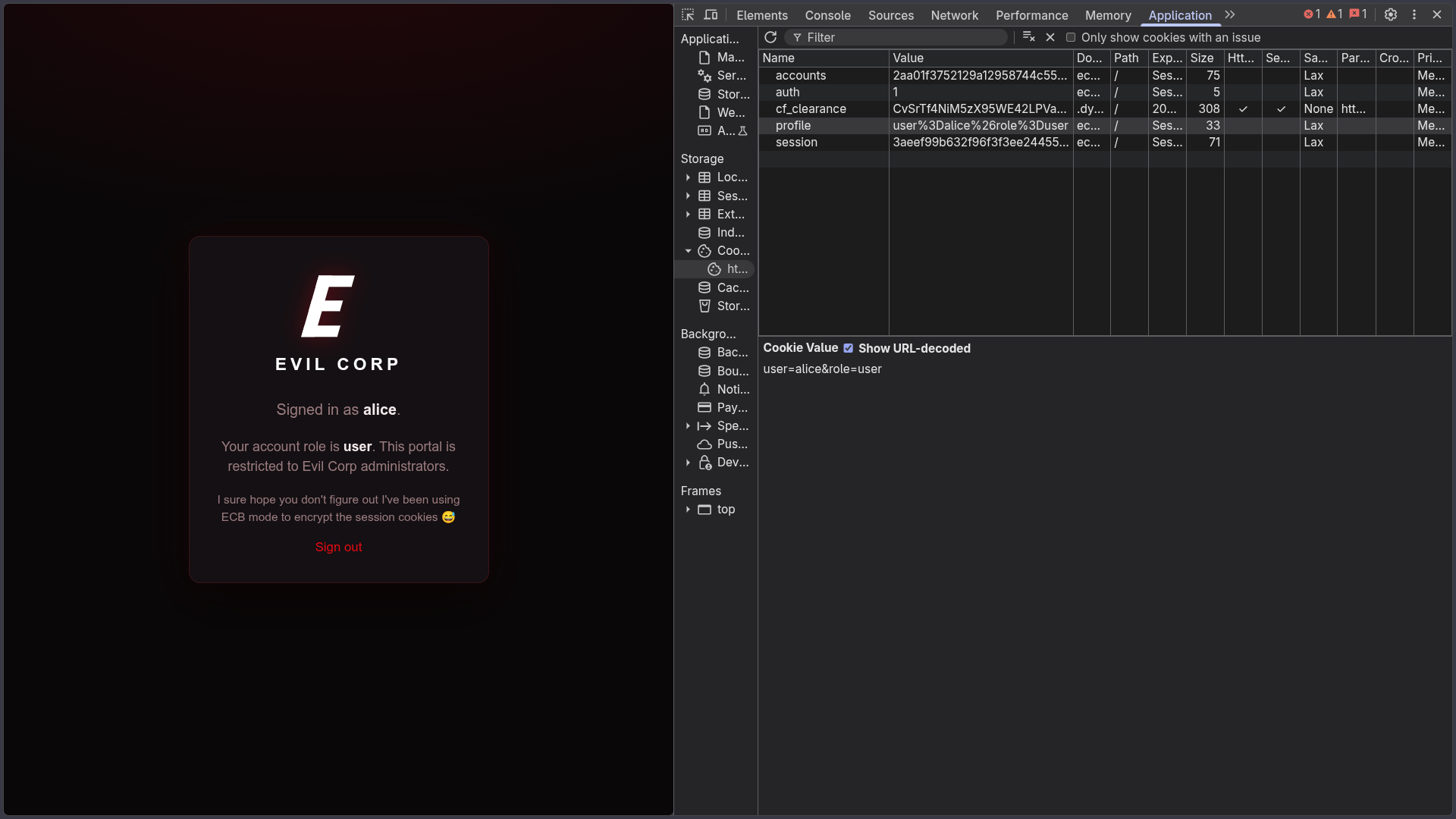
Our account role is user, but the portal is restricted to administrators. We are also given a not-so-subtle note: “I sure hope you don’t figure out I’ve been using ECB mode to encrypt the session cookies 😅”.
What is ECB Mode?
As a brief aside, block ciphers such as AES and DES encrypt plaintext in fixed-size blocks (16 bytes for AES). Messages are rarely exactly one block long, so we need a mode of operation that describes how to encrypt a message spanning multiple blocks. The diagram below (from Wikipedia) shows several common ones.
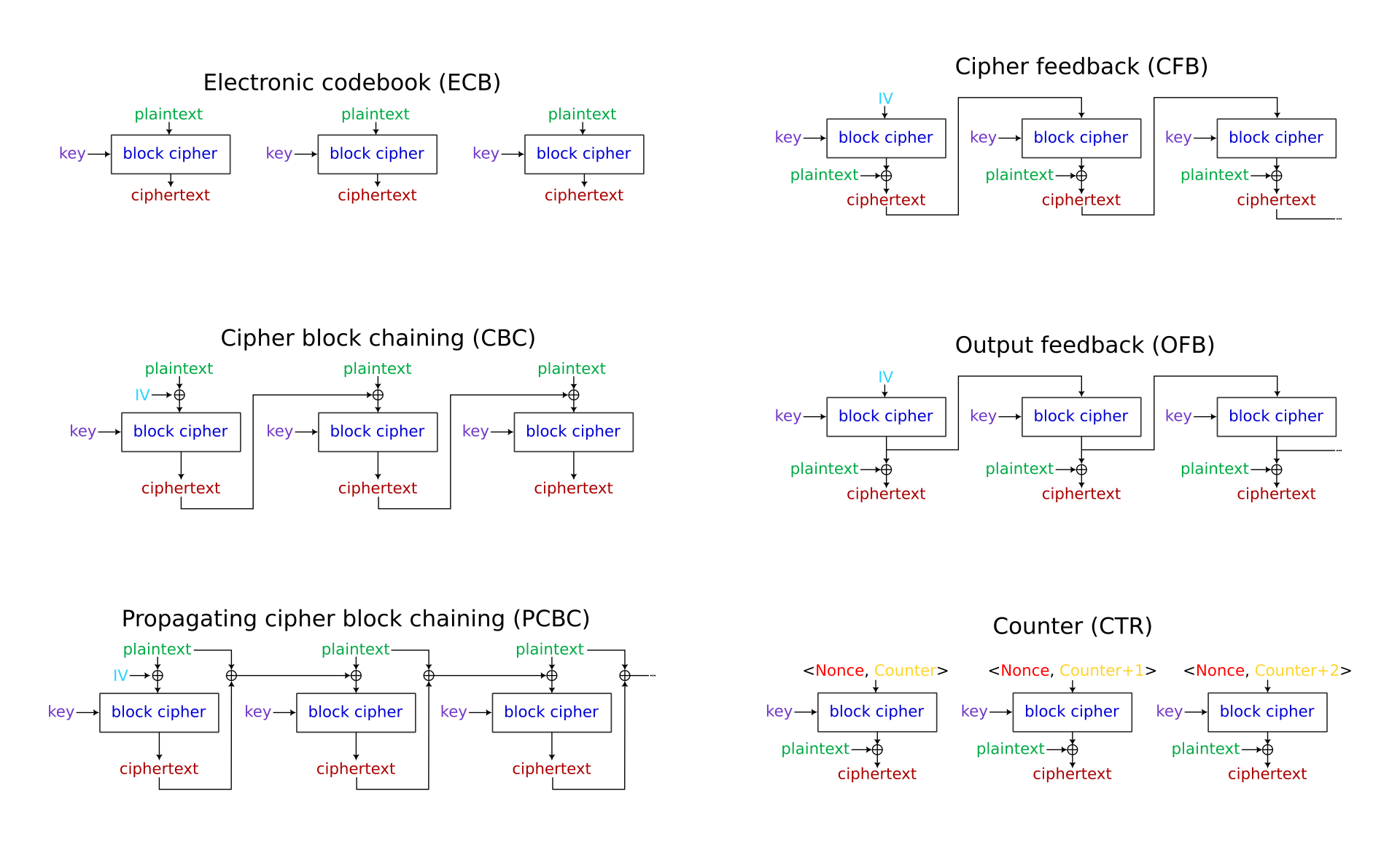
For example, Cipher Block Chaining (CBC) mode XORs each plaintext block with the previous ciphertext block before encrypting it, while Counter (CTR) mode encrypts a nonce and an incrementing counter, then XORs the result with each plaintext block. Electronic Codebook (ECB), the mode we care about, is the simplest: each block is encrypted independently, like looking up each plaintext block in a codebook.
Not all modes are created equal. Here is an image of Tux encrypted with AES in ECB mode (again from Wikipedia).

Although Tux is technically encrypted, the result is still very much a penguin, just strangely colored. Because identical plaintext blocks always produce identical ciphertext blocks, ECB leaks the structure of the data. Worse for the server, it means we can reorder, duplicate, and splice ciphertext blocks, and the server will happily decrypt them into a plaintext we control.
Playing Around with Cookies
Going back to the Evil Corp portal and opening the browser developer tools (this will look different depending on your browser), we find two interesting cookies. After logging in as alice, the profile cookie is user=alice&role=user and the session cookie is 3aeef99b632f96f3f3ee24455c62bce1b3835792b59b474ffe516f39231b571f. The session is 32 bytes, exactly two AES blocks, which fits an encryption of the 20-byte profile string plus padding.
To confirm it’s ECB, we register a username made of 11 as followed by 32 bs. The prefix user= is 5 bytes, so the as fill out the first block, and the bs fill the next two blocks exactly:
block 1: user=aaaaaaaaaaa
block 2: bbbbbbbbbbbbbbbb
block 3: bbbbbbbbbbbbbbbb
block 4: &role=user + padding
If the cookie is encrypted with ECB, blocks 2 and 3 should encrypt to the same ciphertext. Sure enough, the resulting session cookie splits into:
block 1: bb6446ff6381e6d6e1c3b2caee9458c2
block 2: dc3f0a62a9e9d8db081e0b454aa79cbb
block 3: dc3f0a62a9e9d8db081e0b454aa79cbb
block 4: a7ed58e7dfdec7bb12370f11beb9e145
The repeated block confirms that the session cookie is the profile string encrypted with AES in ECB mode, which means we can start cutting and pasting.
Exploit
Our goal is a session cookie that decrypts to user=<username>&role=admin. We can’t encrypt that directly, since the server always appends &role=user to whatever username we pick. Instead, we’ll craft two accounts:
- One whose ciphertext contains a block that encrypts to just
admin. - One whose
&role=useris split so thatuserlands alone in the final block.
Then we swap the final block of the second cookie for the admin block from the first.
For the first account, the username again starts with 11 filler characters to complete the user= block. The next block needs to contain admin and nothing else, but if we just append admin, the block becomes admin&role=user plus padding. To get a block that is only admin, we need to understand how block ciphers pad their input.
PKCS#7 Padding
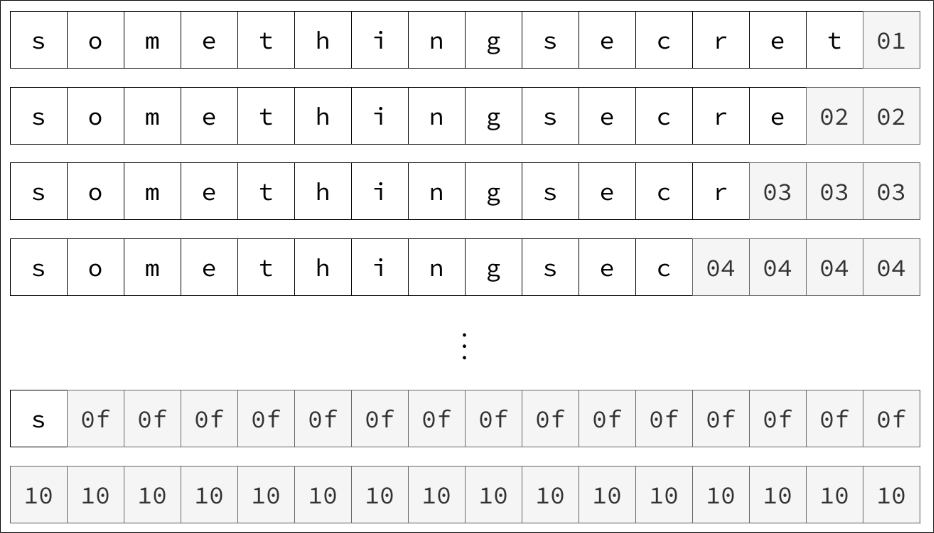
Plaintext rarely divides evenly into 16-byte blocks, so the last block gets padded out to a full block. The standard scheme is PKCS#7, and it’s quite simple: if the last block is n bytes short of 16, append n bytes, each with the value n. If the plaintext already ends on a block boundary, a full extra block of sixteen 0x10 bytes is appended, so that the unpadding step always has something to strip. The image below from Cossack Labs is a helpful visualization.
Since the block we forge will become the last block of our admin cookie, it has to look like a correctly padded final block. Otherwise, the server will fail to unpad it after decrypting. So we pad it ourselves inside the username.
Payload Time!
admin is 5 bytes, so the block needs 11 bytes of padding, each 0x0b (11 in hex). Luckily, the username field accepts raw, non-printable bytes (otherwise this would take some curl scripting). Registering the username xxxxxxxxxxxadmin\x0b\x0b\x0b\x0b\x0b\x0b\x0b\x0b\x0b\x0b\x0b lays out the plaintext as:
block 1: user=xxxxxxxxxxx
block 2: admin + 0x0b * 11
block 3: &role=user + padding
which gives us the session cookie:
block 1: 1d68e51b25c3be4bcdbeab586358c5e9
block 2: 7b14dc54251cad78424d9b54bcd14cfa   <- encrypts "admin" + padding
block 3: a7ed58e7dfdec7bb12370f11beb9e145
Note that block 3 matches the last block from our earlier test, since both are &role=user plus padding.
For the second account, we want user=<username>&role= to exactly fill the first block, so that user falls alone into the second. Without the username, the first block holds 11 bytes (user= and &role=), so we need a 5-character username. Conveniently, admin is 5 characters, so we’ll use that.
block 1: user=admin&role=
block 2: user + padding
This account’s session cookie is:
block 1: 542c77216a90d3814d2f29dac199afef
block 2: b3835792b59b474ffe516f39231b571f
Swapping its second block for the admin block from the first payload gives a cookie that decrypts to user=admin&role=admin:
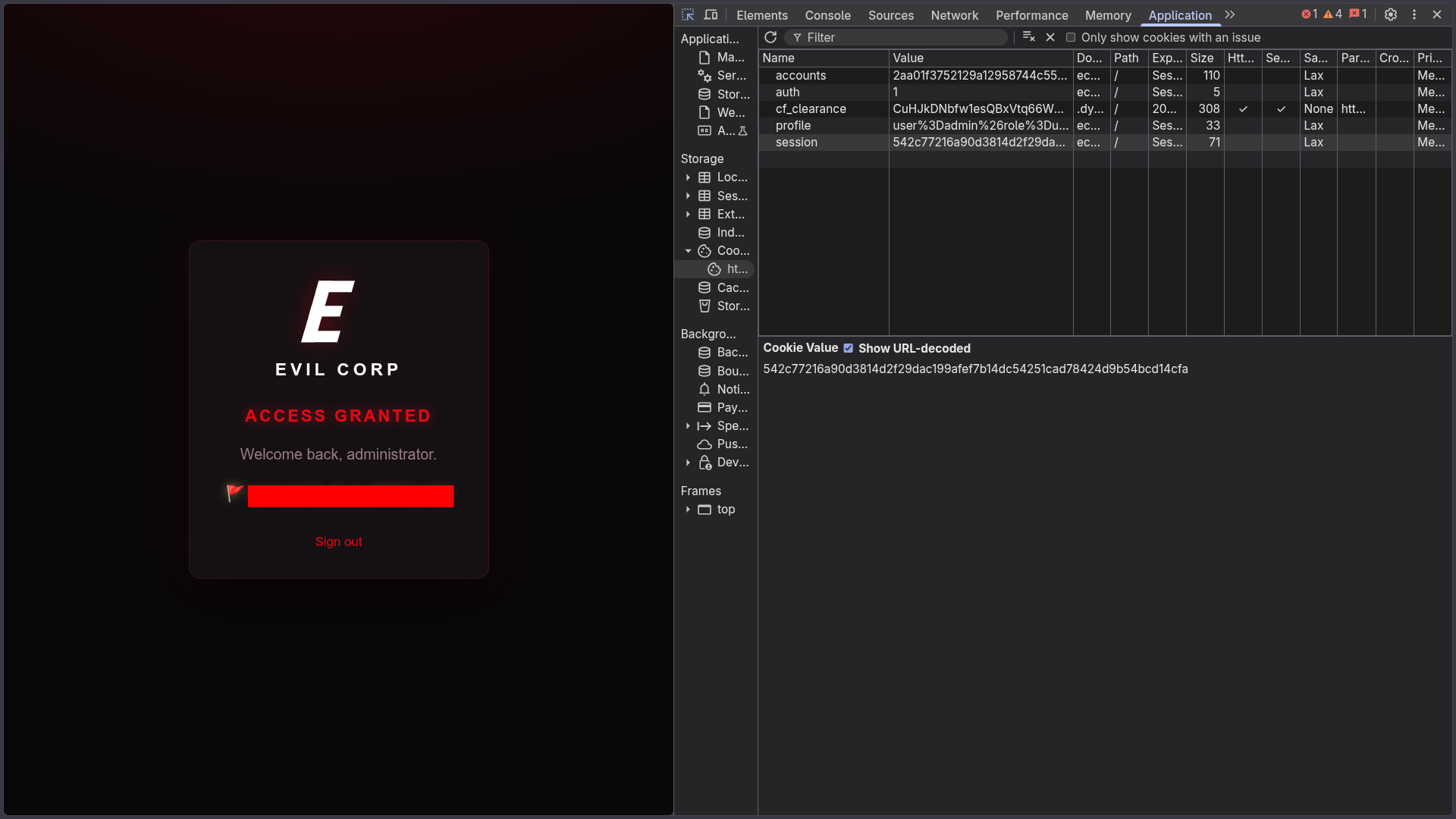
542c77216a90d3814d2f29dac199afef7b14dc54251cad78424d9b54bcd14cfaSetting that as our session cookie and refreshing the page, we’re welcomed as an administrator and handed the flag.